Begin with the visitor task and the floor position
A retail entrance, hotel lobby and exhibition hall place different demands on a vertical advertising screen. Map where people approach, what they need to see and how long they may stop. Those observations guide screen-size preference, content layout and the height of the interactive area if touch is selected. Keep the base zone clear of queues, doors and accessible routes.
Share site photographs and a simple floor plan with the project team. The quotation should be checked against the base footprint, power route and any building restrictions. For a wider comparison of indoor formats, review indoor advertising kiosks before fixing the kiosk position.
Separate advertising playback from optional interaction
A display-only kiosk can suit a promotional loop, wayfinding message or visitor notice. Touch is an option, not a default part of every unit. When interaction is required, the listed touch configuration uses ten-point capacitive input. Test the real interface at the installation position, because touch response alone does not describe the total time taken by the application, network and content system.
Describe any check-in, transaction or connected peripheral as a separate project item. Payment hardware, printers, scanners and application integration should not be assumed to come with an advertising kiosk. Assign responsibility for each component, software licence and support path before comparing suppliers, otherwise two quotations may cover very different scopes.
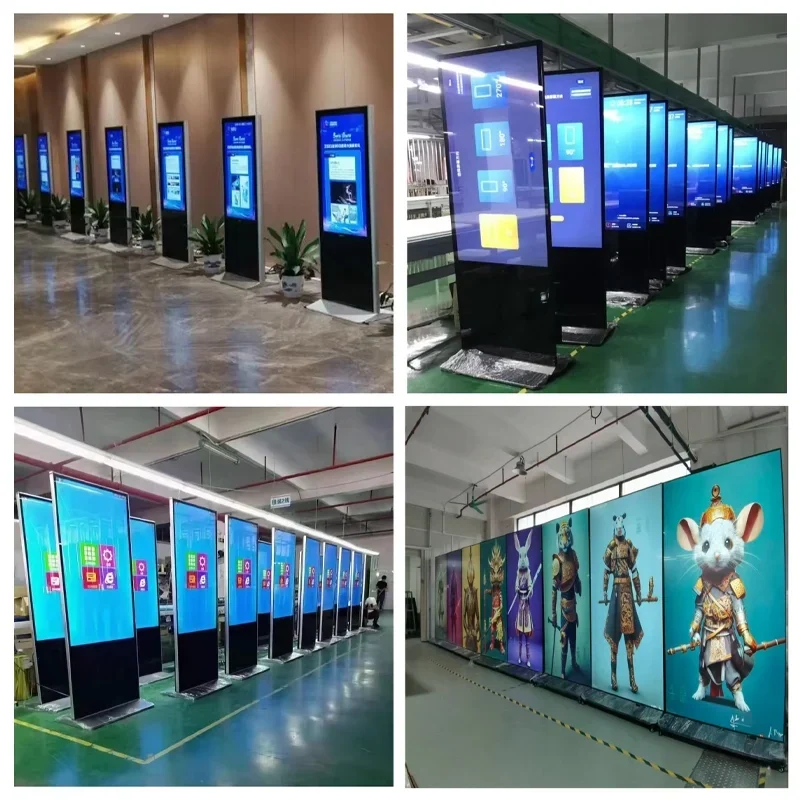
Specify the operating system and content workflow
Android and Windows are configuration options for the kiosk; they are not a promise that both will run together. If you already use a player, CMS or business application, provide its operating-system, memory, storage and connectivity requirements. Ask the proposal to state the proposed board, memory, storage and software version so the hardware and software scope can be reviewed together.
Standalone, local and cloud management are listed arrangements, with the final setup and service terms to be confirmed for your project. Explain who will publish content, how often it changes and whether several locations need coordination. Request a demonstration of the chosen workflow, including account setup and what happens when staff need to restart the player or update a campaign. Our indoor kiosk applications page can help frame the content brief.
Review installation, access and operating conditions
The glass, aluminum frame and galvanized-steel body are part of a complete indoor kiosk installation, not evidence of outdoor weather protection. Share the site lighting, ambient conditions and access route so the proposed unit can be assessed for the location. If the kiosk will face rain, direct sun or another demanding environment, request a documented specification for that condition before selection.
Ask for the full dimensions, weight, base details and connector positions. Have the installer review power routing, stability and service access. During a sample review, load representative content, check readability from the visitor approach and demonstrate how staff will update the screen and restart the selected application.
Build an RFQ that supports a like-for-like quotation
Send quantity, delivery country, intended location and preferred screen size. Add Android or Windows requirements, touch needs, content-update method and any branding changes. Site photographs, floor plans, power locations and installation restrictions help the manufacturer assess the configuration without guessing. State the date by which the installation must be ready without treating it as a confirmed lead time.
Alihh supports OEM/ODM inquiries; the floor standing kiosk customization page helps organize appearance, hardware and software requirements. Request a floor standing advertising kiosk quotation that separates hardware, accessories, software scope and custom work. Ask for sample and shipping terms with the proposal, and confirm warranty coverage, exclusions and service arrangements. The published policy states a two-year warranty with lifetime technical maintenance; the applicable terms should be verified for the order.
Frequently asked questions
Can this kiosk be used outdoors?
The page addresses indoor advertising and information projects. Rain, direct sunlight or other exposed conditions require a documented specification before a unit is selected. Do not assume weather protection from the indoor enclosure description.
Is touch included on every floor standing advertising kiosk?
No. Touch is an option to include in the quotation. If interaction is needed, describe the visitor task and ask to test the interface on the proposed touch configuration before approving a sample or production order.
What content management choices are available?
Standalone, local and cloud management are listed options. The exact configuration, account setup and service terms need confirmation for the project. Explain who updates the content and whether multiple locations need coordinated publishing.
Which details should I include in an RFQ?
Provide quantity, delivery country, site location, preferred screen size, Android or Windows preference, touch needs and content-update method. Add branding changes, site photographs, power route, installation constraints and the required installation date. Ask the quotation to separate hardware, accessories, software scope and custom work.
Product references